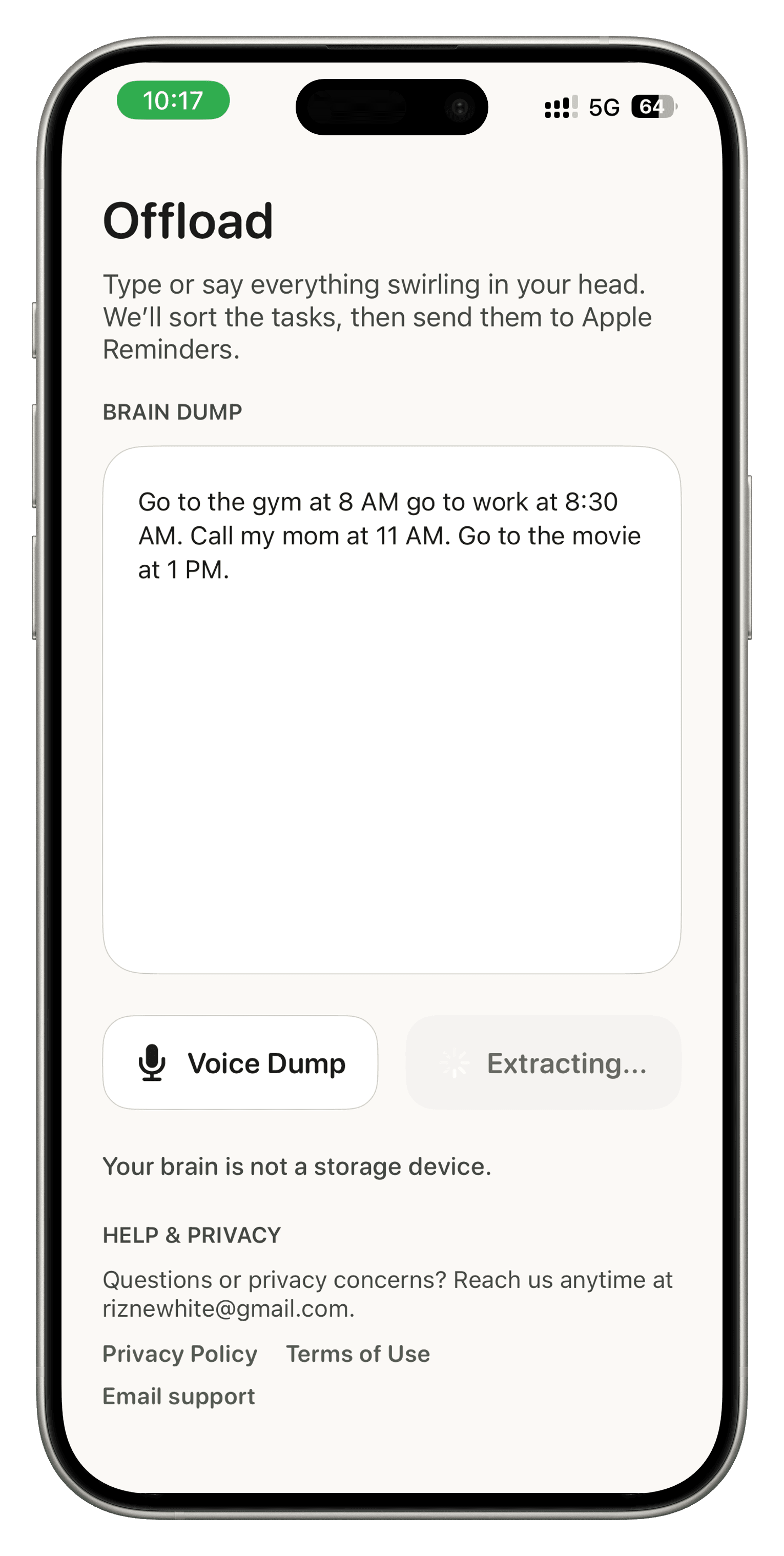
DUMP
Everything in your head
Speak or type the messy version first. No structure needed, no cleanup required.
 Native iPhone app for ADHD adults and overwhelmed parents
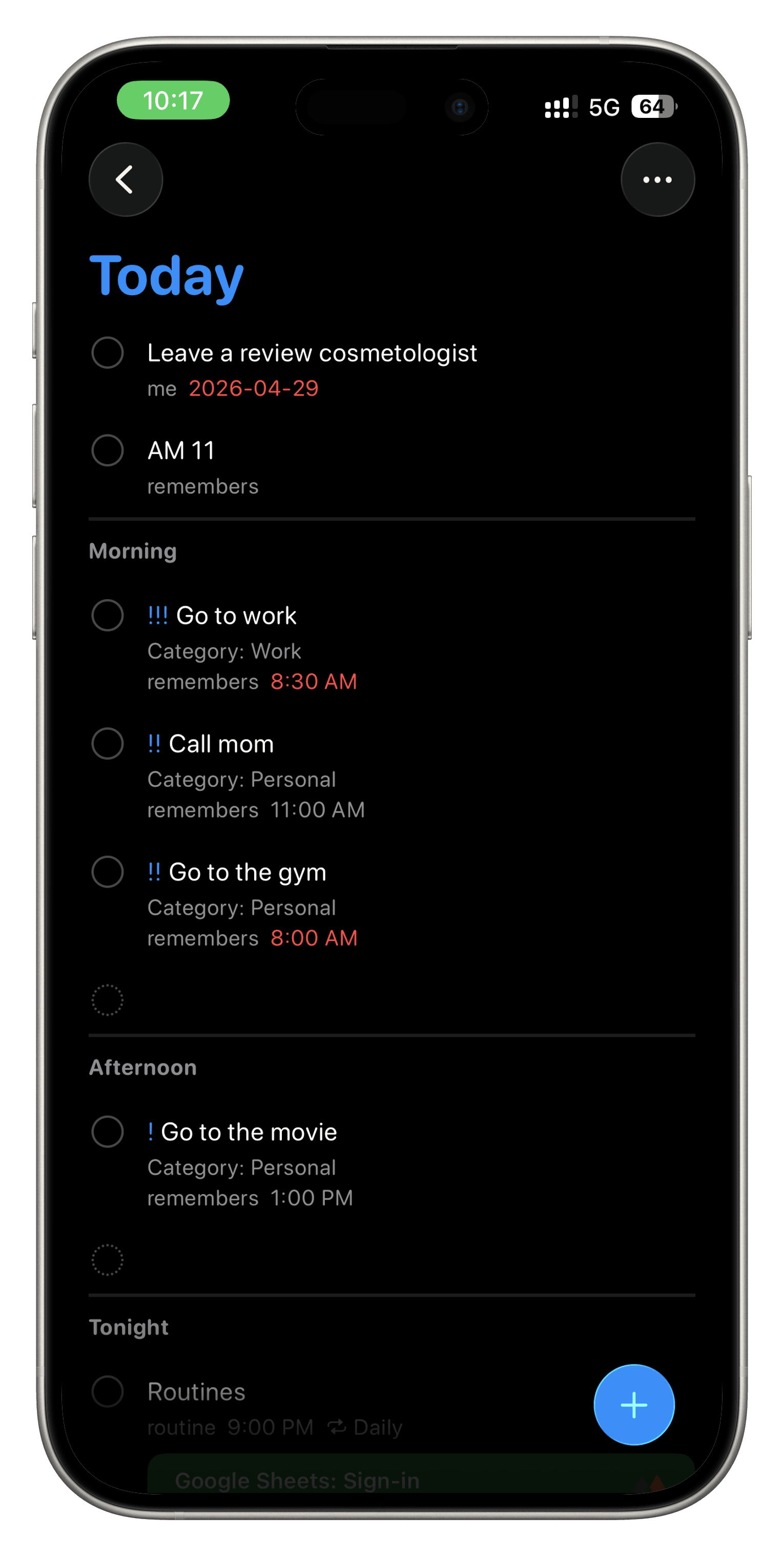
Speak or type everything swirling in your head. Offload turns the messy version into a clean task list and sends it to Apple Reminders in one tap.
No coaching. No extra system to manage. Just one place to offload the mental list before it disappears again.
Strategy
The page stays simple on purpose. One action above the fold, real product screens instead of mock promises, and a straight path from messy thoughts to Apple Reminders.
DUMP
Speak or type the messy version first. No structure needed, no cleanup required.
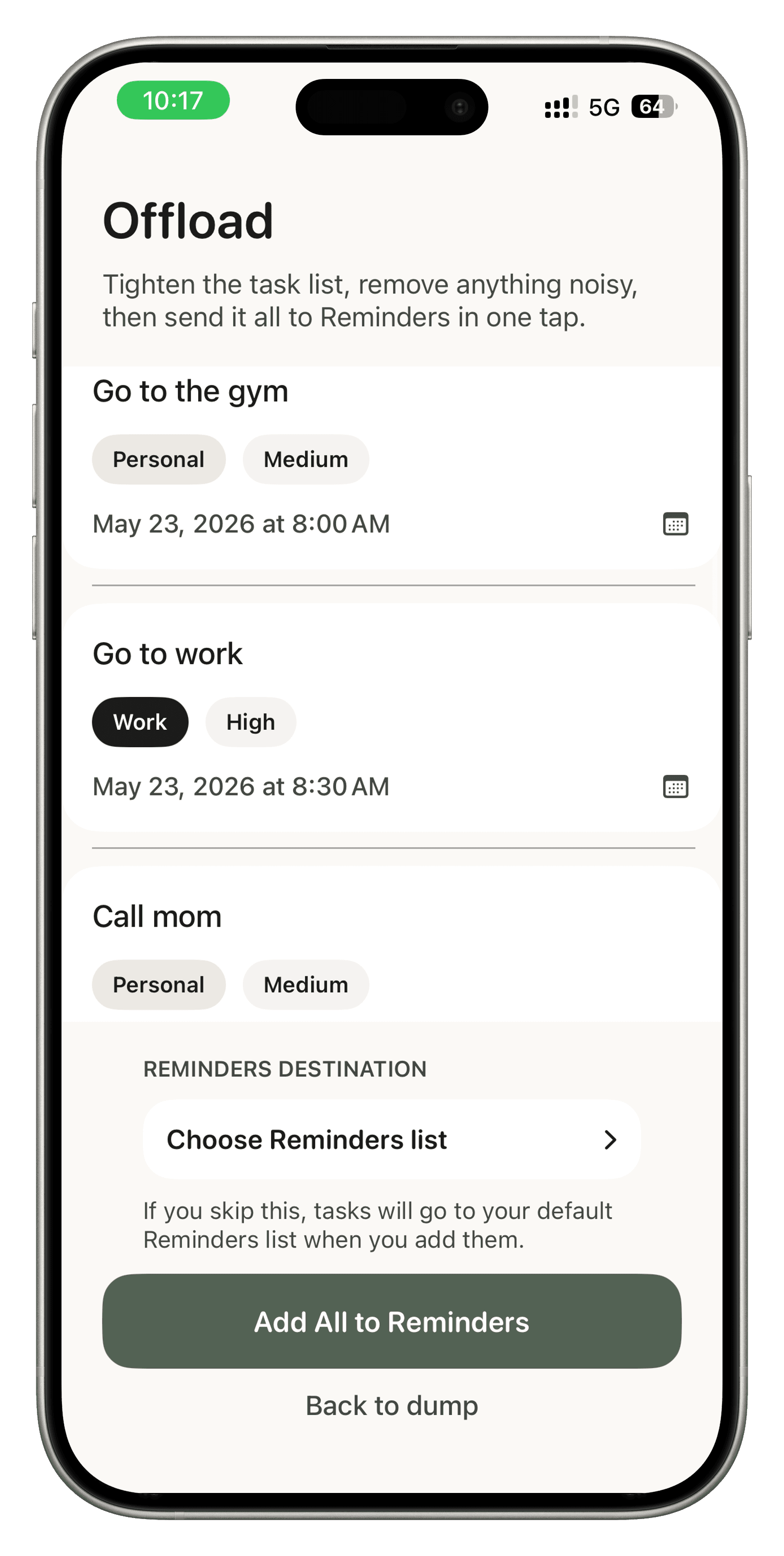
SORT
Offload pulls out the real tasks, adds deadlines when they are clear, and keeps the list usable.
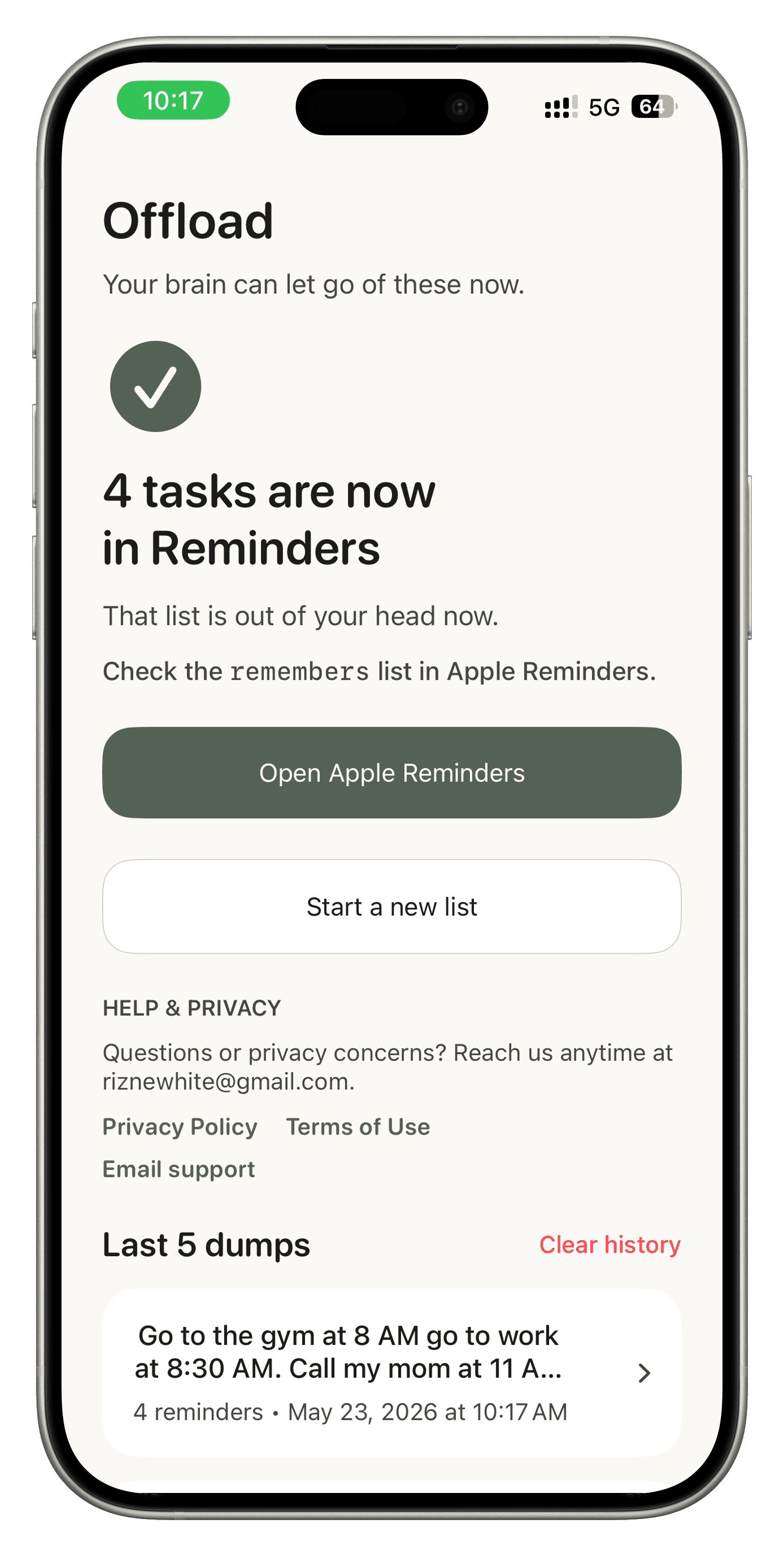
SEND
Review the list, make quick edits if needed, then send everything to Apple Reminders in one tap.
Why it helps
Some days the problem is not motivation. It is too many open loops competing for space at once.
Offload gives those thoughts somewhere to land, then turns them into something usable before they disappear again.
It works with Apple Reminders because many people are already trying to hold life together there. No migration required.
Trust
Monthly
$6.99 / month
Annual
$39.99 / year
Live demo
This is the same extraction flow the app uses. Paste a messy dump, run it through the parser, and preview the clean task list that comes back.
Extracted tasks